How to install a porn app on Android
Google Play doesn't allow porn apps, but on Android you don't need it. Chrome can install most sites straight from its menu. You get an icon in your app drawer, a full-screen window and no Play Store listing. The steps work for any site. We use Quickie as the worked example.
Skip the APK files
Some sites offer an APK file to download and install by hand. That means switching on installs from unknown sources and trusting a file from the internet with your phone. Installing from the browser needs neither, and it's what the steps below do.
The steps, for any site
- Open the site in Chrome.
- Tap More, the three dots to the right of the address bar.
- Choose Install app. Depending on your Chrome version, it can also read Install and create shortcut or Add to home screen.
- If Chrome asks you to choose between Install and Create shortcut, pick Install. The icon then appears with your other apps.
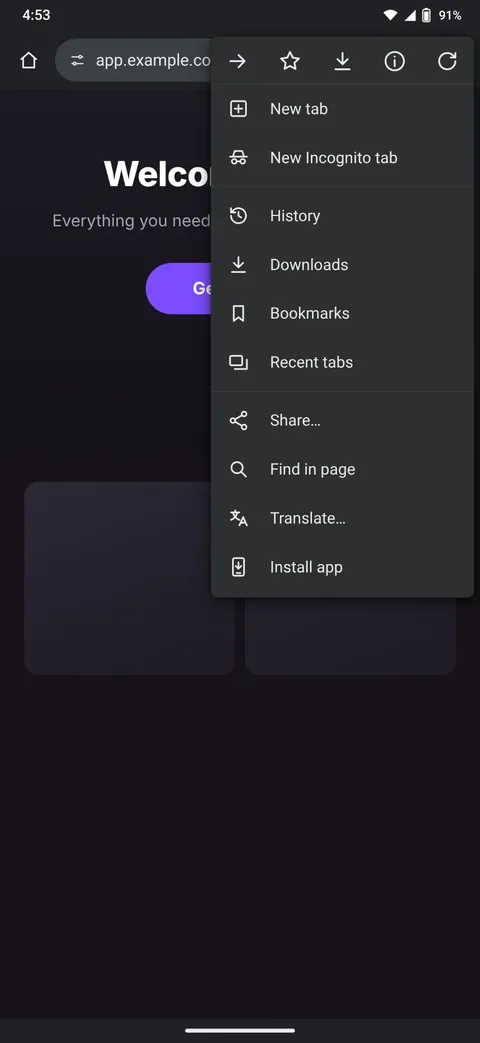
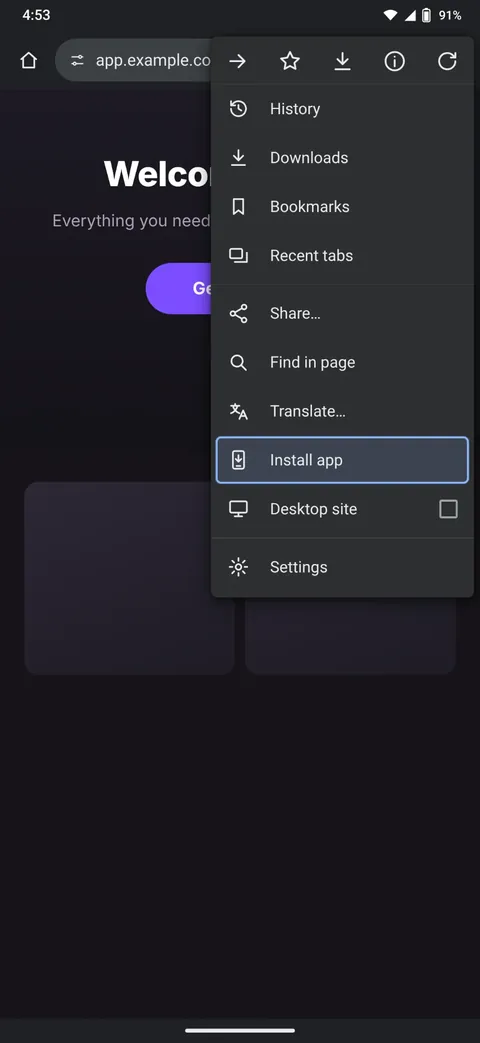
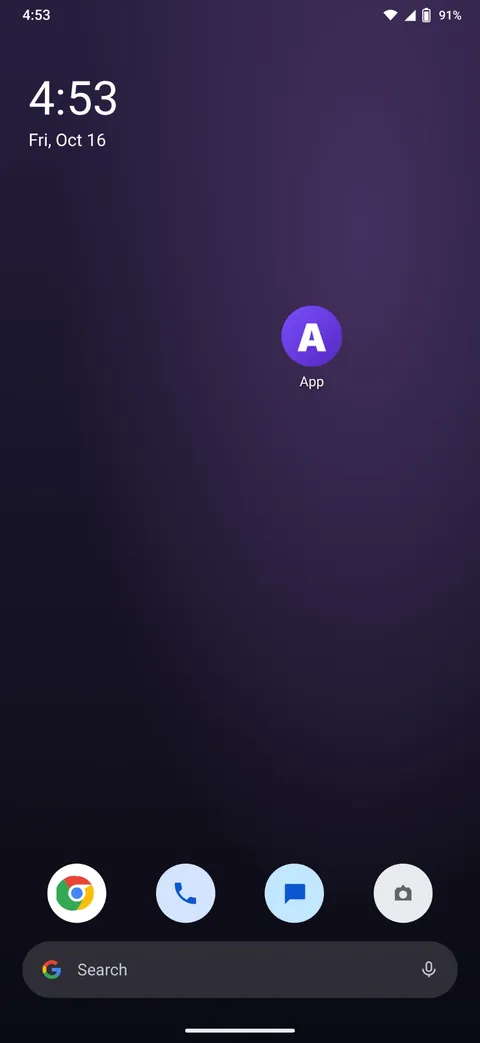
On a Samsung phone using Samsung Internet, open the menu (the three lines at the bottom right), then Add page to, then Home screen.
Worked example: Quickie
Quickie is a gay porn subscription that runs as a web app, so it installs this way.
- In Chrome, go to go.quickie.app.
- Tap More, then Install app, then Install.
- Confirm, and Quickie shows up with your other apps.
From then on the icon opens straight into Quickie's feed, full screen.
Keeping it private
Hide the icon
Many Android phones can hide apps from the home screen and app drawer. On Samsung phones, press and hold an empty part of the home screen, tap Settings, then Hide apps on Home and Apps screens. Hidden apps still turn up if you search for them by name. Some launchers also let you rename an icon. Press and hold it to see what yours offers.
Use Incognito instead
If you'd rather not install anything, open the site in an Incognito tab. Chrome keeps no history from Incognito tabs, and it can lock them when you step away. In Chrome's settings, under Privacy and security, turn on Lock Incognito windows when you leave Chrome. Google notes this may need a recent version of Android. You'll usually have to sign in again each time.
Say no to notifications
An installed web app can ask to send you notifications. Decline and nothing from it will show up in your notification shade. You can change it later in the app's notification settings.
Check what your bank statement says
Because nothing is bought through Google, there's nothing in your Play Store purchase history. The charge only appears on your card statement, under the company's billing name, which is often different from the site's name. Look for it in the site's help pages before you subscribe. For Quickie, the line on your statement reads QMI-HELP.com.
Removing it
Uninstall it like any other app: in Settings, go to Apps, find it in the list and tap Uninstall. Uninstalling doesn't cancel a subscription. Cancel from your account on the site.